How it works

From download to your real number in under an hour

Nothing to install. No account to make. No permissions to grant. Open the file, answer three questions, and start pasting.

01

Three answers and setup is done

Your currency symbol. The month your tax year starts. Your listings.

That's it. Type them once on the Setup and Properties tabs and you never open those tabs again unless something about your business changes.

About 5 minutes
02

Paste a year of bookings in one go

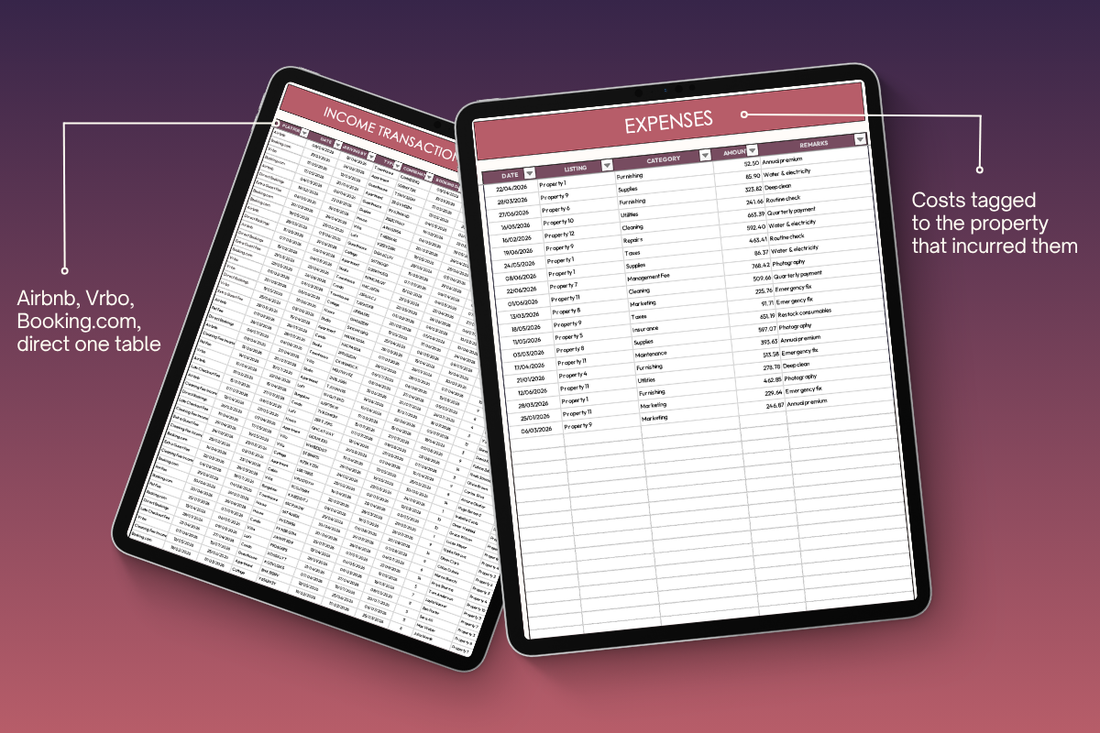
Export your transaction history from the platform and paste it into the Income tab. Tag each row with its listing and its channel. Vrbo bookings, direct bookings, and Airbnb bookings sit in the same table, so there's nothing to merge later.

Expenses take four fields: date, listing, category, and amount.

Room for 8,000 bookings and 8,000 expenses
03

See what you actually earned

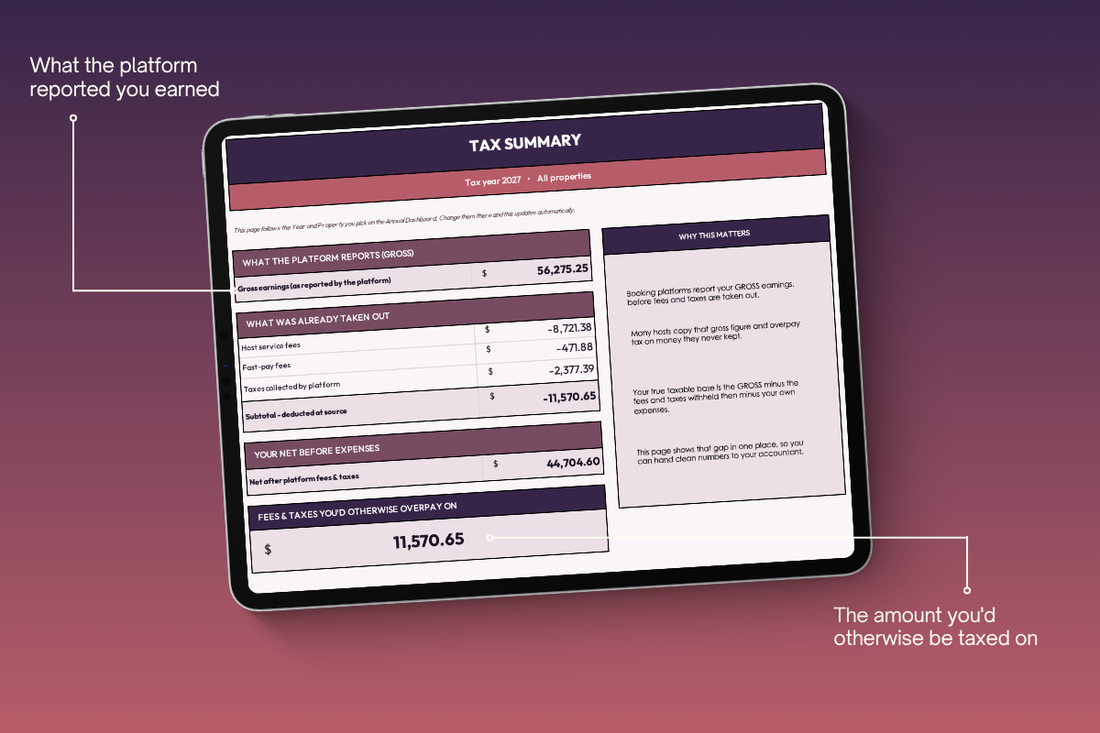
Pick a year and a property on the Annual Dashboard. The Tax Summary shows your gross earnings, every fee and tax the platform removed before paying you, and the figure that's left.

One line sits on its own: the fees and taxes you'd otherwise be taxed on. That's the number you were missing.

Tax Summary tab

What it does

Four things that change how your year ends

Not a list of tabs. The four places a multi-property host loses money or loses hours, and what the file does about each one.

Inside 01

Tax Summary

The Tax Summary tab takes the gross figure your platform reported and subtracts what it already took before paying you — host service fees, fast-pay fees, and the tax it collected from your guest. What's left is your net taxable base, filtered by year and by property, with the gap shown on its own line.

You stop declaring money that never reached your bank. And when your accountant asks where the number came from, you have it.

Tax Summary tab showing gross earnings with host service fees, fast-pay fees and platform-collected taxes subtracted to reach net taxable base
Inside 02

One ledger, every channel

Airbnb, Booking.com, Vrbo, Houfy and direct bookings all go into the same Income tab, each row tagged with its channel. The Setup tab holds 40 income entries in total, so there's room for every other platform you list on plus your own cleaning, pet and late-checkout fees.

No more parallel sheets that drift apart by March. One table, one set of totals, already reconciled when the questions start.

Income tab with bookings from Airbnb, Vrbo, Booking.com and direct stays in one table, each tagged by channel
Inside 03

Per property, not per payout

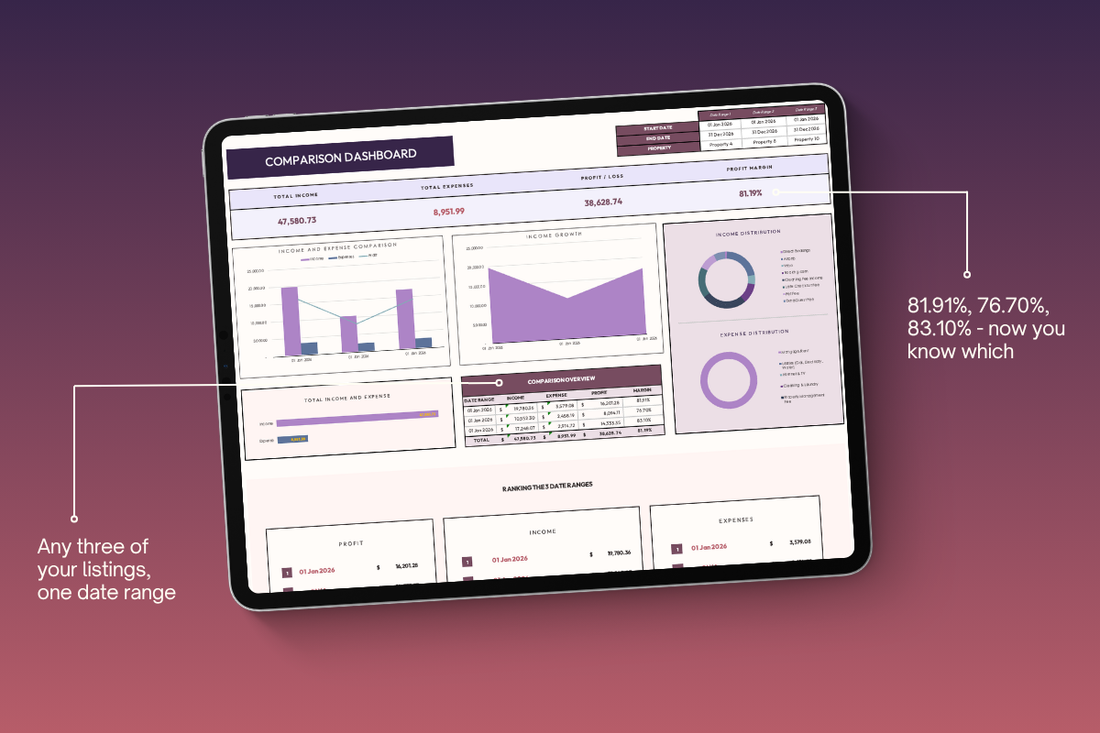
Platforms deposit one pooled amount covering several listings. Tag each booking to its property and the Property, Comparison and Custom dashboards pull that lump sum back apart — income, expenses, profit and margin for each one on its own.

You find out which listing is carrying the others. That's the number behind renewing a lease, raising a nightly rate, or letting a property go.

Property dashboard showing income, expenses and profit split out for each individual listing
Inside 04

Set a target, then chase it

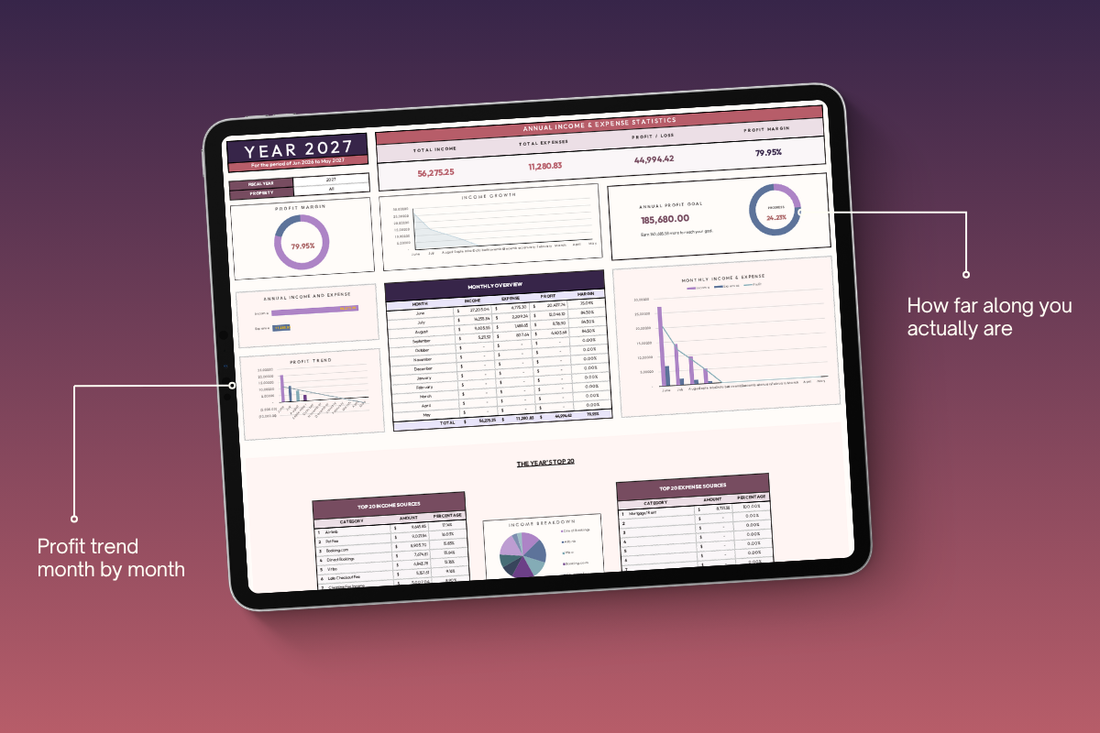
Give each property a monthly profit goal across a five-year window on the Properties tab. The monthly, annual, and 5-year dashboards then show actual against goal and how much is left to earn, calculated from the same bookings you're already logging.

This is the tab that keeps the file open in June. Tax comes once a year. A number you're chasing comes every month.

Annual dashboard showing profit against the annual goal with progress percentage
Inside 05

Every trip, logged and claimed

Log each drive as you make it—odometer start and end, where you went, and what it was for. Set your own rate per mile or kilometer, add the business-use percentage, and add the parking and tolls that came with it. The claim total builds itself as you go.

Most hosts never claim this, because they never wrote it down. The cleaning run, the key handover, and the hardware store—those miles are a real cost you're currently absorbing.

Distance tracker with odometer readings, business-use percentage, parking, tolls and total claim per trip
14 days to change your mind

14 days to change your mind

Email us within 14 days and you get a full refund. You don't need a reason, and you don't need to send anything back. Refunds go to your original payment method.

Before you buy

The questions hosts actually ask

If yours isn't here, email contact@slatestudioco.com and a person answers.

$37 for a spreadsheet, isn't that steep?

I'm not good with spreadsheets. Will I actually be able to use this?

How do I know this will actually make a difference for me?

It's a download. Can I actually get a refund?

There are free Airbnb spreadsheets out there. Why pay for this one?

How long is this going to take me to set up?

Does it work in my country?

Is this tax advice?

Will it work with my booking platform?

See what you actually earned

Your platform reported one number. Your bank received another. The Tax Summary shows you the difference, per property and per year.

Instant download · 14-day refund · No subscription